
Skip to content

    Preparing an invite-only beta for Q1 2027. Partner inquiries are open.

    FlyFund™ Pro, powered by AEGIS OS™ — invite-only beta, Q1 2027. Screens on this page are previews with sample data; features are confirmed with each school before go-live.Learn about AEGIS OS™
    FlyFund™ Pro · Invite-only beta · Planned launch Q1 2027

    Keep every inquiry moving—with a clearer next step.

    FlyFund™ CRM keeps inquiries, conversations and admissions stages organized in your school's own HighLevel location. AEGIS OS™ helps your staff prioritize tasks, follow approved procedures and prepare drafts, with your team in control.

    Requesting setup isn't a purchase. Features become available after staff review and setup.

    Three parts, each with a clear job

    Each part has its own job, and each shows when it becomes available.

    FlyFund™ CRM

    After reviewed setup

    School-specific HighLevel configuration for contacts, conversations, admissions stages and forms. The current Setup Kit has no calendars. Workflows remain drafts; external synchronization and sending need separate provider, scope and release evidence.
    AEGIS OS™

    After approved access

    Your school's workspace for tasks, SOPs, support and team onboarding, with supervised AI agents (3, 5 or 6 by plan) that draft suggestions for staff to review.

    Your aviation systems

    Stay where they are

    Aircraft and instructor scheduling, dispatch, maintenance and official training records remain in your specialist aviation software. We don't replace or sync with them by default.

    What changes for your staff

    • Consistent admissions

      Every inquiry has a recorded stage and a next step, and staff follow the same approved procedure.

    • Clearer ownership

      Tasks have an owner and a due date, so handoffs between front desk, admissions and management are visible.

    • Marketing drafts

      Takeoff and Cruising teams can prepare campaign briefs, FAQs and email drafts from approved school facts, then review and publish them through their own tools.

    • Administrative onboarding

      New staff learn your business procedures from published SOPs. This is business onboarding, not ground school or certification.

    • Practical work visibility

      Owners see current counts of open, overdue and unassigned work across all records. Revenue, ad attribution and aircraft or instructor utilization stay unavailable until a verified source is connected.

    These are goals, not guaranteed results.

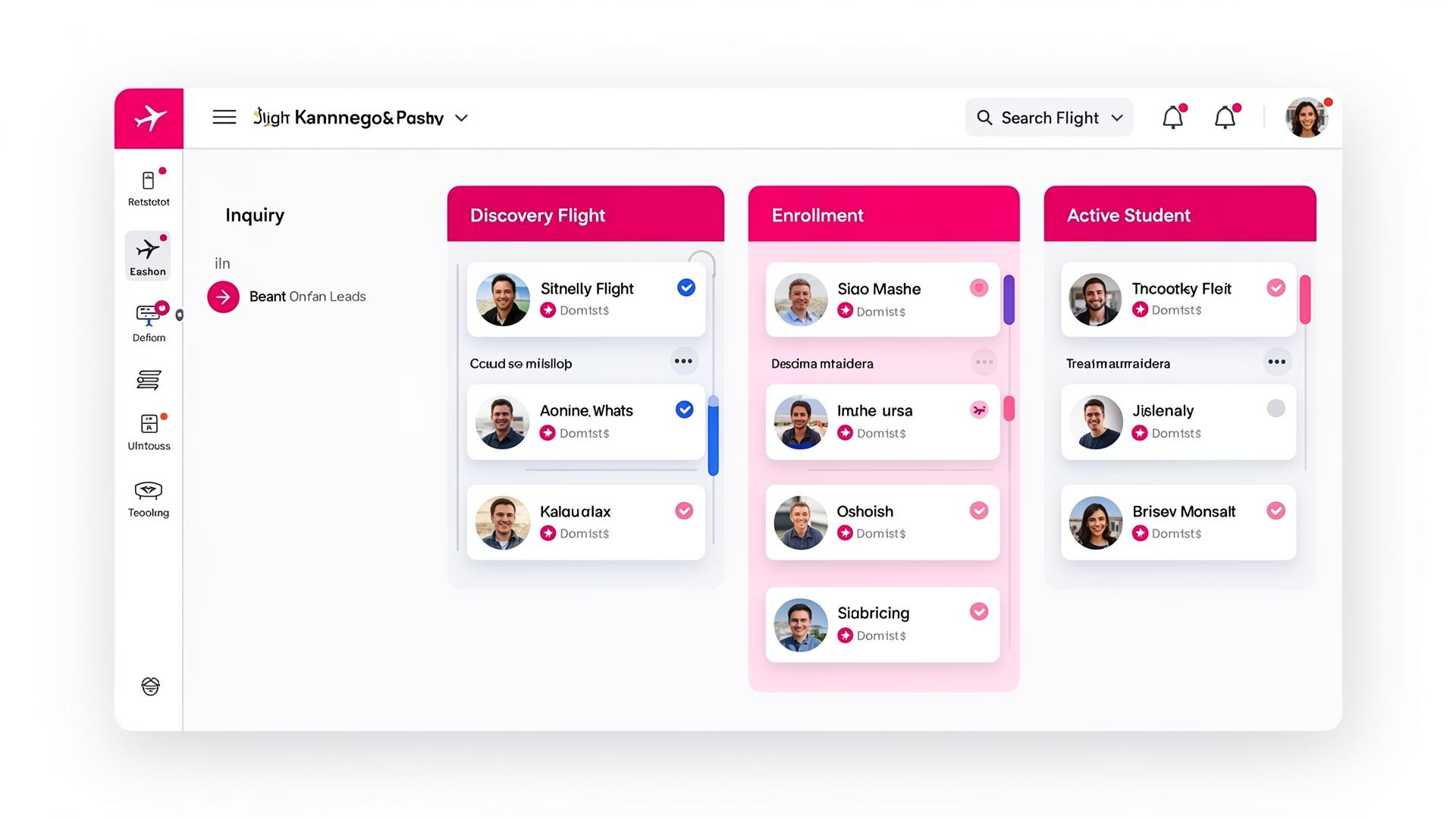
    Illustrative admissions pipeline with sample inquiry, discovery flight, enrollment and active student stages
    Illustrative preview · sample data
    Example admissions stages. Your stages are configured during setup; names and people shown are not real.

    Financing links, without financing promises

    Your staff can share approved FlyFund™ financing links with students. FlyFund™ is a marketplace, not a lender. Lenders make every credit decision and set their own terms. The CRM doesn't track loan status or trigger enrollment steps from a lender decision. Your staff decide the next action.

    Supervised agents by plan

    Respond with a plan.

    Admissions Coach

    Help admissions staff follow the same process, prepare for consultations and keep the next action visible. The Admissions Coach uses your approved procedures to support consistent conversations.

    Know what needs attention.

    Daily Operations

    Start the day with a clearer view of overdue, blocked and unassigned work. Daily Operations helps the team prioritize recorded tasks and prepare the next step.

    Train staff with your procedures.

    Team Trainer

    Turn approved SOPs into practical explanations and onboarding exercises. Team Trainer helps staff find the answer and its source.

    Prepare marketing more efficiently.

    Marketing Planner

    Build campaign briefs, FAQs, content outlines and email drafts from approved school facts. Marketing Planner gives your team a starting point to review and publish through its chosen tools.

    Keep onboarding moving.

    Student Success Coordinator

    Organize administrative steps and check-ins so responsibilities are visible after enrollment. Student Success Coordinator highlights recorded tasks that need staff attention.

    Run better owner reviews.

    Owner Analyst

    Use a defined view of recorded work to discuss bottlenecks and priorities. Owner Analyst separates facts from possible explanations and identifies what information is missing.

    Taxi includes 3 agents, Takeoff 5 and Cruising all 6. AI suggestions are reviewed by staff before anyone acts. Agents never send messages or book anything.

    Plans

    Every plan includes the core FlyFund™ CRM. A done-for-you website starts with Takeoff, and a dedicated account contact comes with Cruising.

    Taxi — Build your operating foundation.

    $297/month or $2,970/year.

    Annual billing equals $247.50/month.

    Create a consistent process for inquiries, follow-up and team responsibilities.

    • Core FlyFund™ CRM enrollment pipeline and basic workflows, configured during setup.
    • AEGIS OS™ workspace for tasks, procedures, team access and support.
    • Daily Operations, Admissions Coach and Team Trainer.
    • Four starter procedure drafts for school review.
    • Core owner visibility and approved financing links.
    Request Taxi setup
    Recommended for growth

    Takeoff — Connect marketing, admissions and onboarding.

    $597/month or $5,970/year.

    Annual billing equals $497.50/month.

    Build on Taxi with a fuller front-office process and more help preparing the work.

    • Everything in Taxi.
    • Marketing Planner and Student Success Coordinator.
    • Seven starter procedure drafts in total.
    • Done-for-you website using an existing template style, with scope confirmed.
    • Advanced configured follow-up and administrative onboarding resources.
    • Priority support.
    Request Takeoff setup

    Cruising — Give leadership a clearer operating picture.

    $997/month or $9,970/year.

    Annual billing equals approximately $830.83/month.

    Add management insight and implementation support for more complex operations.

    • Everything in Takeoff.
    • Owner Analyst and all six supervised agent profiles.
    • Nine starter procedure drafts in total.
    • Structured business reviews using recorded workspace metrics.
    • Multi-location support and scoped custom integration/API work.
    • A dedicated account contact.
    Discuss Cruising setup

    Your service scope confirms configuration, website work, users, locations and support. Native HighLevel AI products, communications usage, advertising and additional integrations may carry separate charges. Existing HighLevel subscriptions remain the school's responsibility when using its own account. Requesting a plan does not start a subscription or activate a connection.

    How setup works

    1. Request a plan. This saves your preference for review only. It isn't checkout and doesn't activate anything.
    2. FlyFund™ staff review your school, scope and plan, then record the approved package.
    3. We set up HighLevel: either we review your existing account and add the agreed configuration selectively, or we set up a separate managed location for your school. We never copy contacts between schools.
    4. Your team reviews pipelines, forms and follow-up drafts before anything is published.
    5. Your owner or manager installs the starter SOP drafts in AEGIS OS™, reviews them and publishes them.

    Questions

    Can we keep our existing GoHighLevel account?

    Yes. We review your school's location and add the agreed configuration selectively. Your existing subscription remains your responsibility. Schools new to HighLevel can discuss a managed school-specific setup.

    Do these agents run the school automatically?

    They help staff prepare, understand information and prioritize work. People review drafts and decide what to do. Separately configured CRM workflows may automate approved steps after testing and activation.

    Will it replace our flight scheduling or training software?

    Your existing aviation systems remain responsible for aircraft and instructor scheduling, dispatch, maintenance and official training records. Any additional connection is scoped and verified separately.

    What does the training agent teach?

    Your approved business procedures: staff onboarding, inquiry handling, admissions practice and escalation. It does not provide flight instruction, certification or official learner assessment.

    Will it know our school?

    It uses the approved information and permitted records made available to your workspace. Your team supplies and maintains that knowledge. If the source does not contain an answer, the assistant should say so.

    Is business intelligence included?

    The package design includes recorded-work visibility across Pro plans, with Owner Analyst in Cruising. Revenue, marketing attribution and aviation utilization analysis require their relevant connected data sources. Those sources are not assumed to be connected.

    Are voice AI, texting and advertising included?

    They require separate configuration and may create additional usage or service charges. We confirm these before activation. AEGIS assistant access is different from native HighLevel AI subscriptions.

    Does a Pro request activate service immediately?

    No. The team reviews your school, confirms the package and completes the required setup. Workspace service, billing and CRM connection readiness are verified separately.

    Does FlyFund™ decide whether a student receives financing?

    No. FlyFund™ supports the financing process; participating lenders determine eligibility, decisions and terms. Admissions assistance must use the approved financing explanation for the active process.